Discover what a custom WordPress project really involves: 7 phases, realistic timelines, and key deliverables to make the best decision for your business.
Table of Contents
- The reality of a custom WordPress project: beyond the template
- Phase 1: Discovery and scope definition
- Phase 2: Information architecture and wireframes
- Phase 3: Visual design (UI/UX)
- Phase 4: Theme development and functionality
- Phase 5: Testing and quality assurance
- Phase 6: Content migration and launch
- Phase 7: Post-launch support and documentation
- Realistic timelines: how long does a custom WordPress project take?
- Signs of a professional process vs. an improvised one
The reality of a custom WordPress project: beyond the template
When a company or agency decides to invest in a custom WordPress project, their expectations are usually shaped by prior experience with themes, page builders, or SaaS platforms. But custom development operates on a completely different logic: more control, more validation stages, and — above all — results tailored to the business rather than forcing the business to fit a generic mold.
This article walks through exactly what happens during a custom WordPress project, from the first conversation to final delivery. It’s not a sales pitch — it’s a realistic roadmap for any project owner, whether you’re at an agency, a marketing department, or a technical leadership role, so you know precisely what to ask, what to demand, and what timelines are reasonable.
Phase 1: Discovery and scope definition
Every custom WordPress project starts with a discovery phase that is frequently underestimated. This isn’t a simple briefing meeting; it’s a structured process in which functional requirements, necessary integrations, the user profiles who will interact with the site, and the project’s measurable goals are all identified.
What this phase includes
- Audit of the existing site (if applicable): analysis of performance, content architecture, active plugins, and technical dependencies.
- Feature map: a prioritized list of what the site needs to do, broken down into “essential,” “desirable,” and “future.”
- Integration documentation: CRM, ERP, payment gateways, marketing tools, third-party APIs.
- User role definition: who edits content, who manages orders, who needs restricted access.
A thorough discovery phase typically takes one to two weeks. According to WordPress.org, the ecosystem offers more than 60,000 available plugins — which makes it critical to identify from the outset what gets solved with custom code versus existing tools. Skipping this phase is the single most common cause of budget overruns and delays in custom web development projects.
Phase 2: Information architecture and wireframes
Before writing a single line of code, a custom WordPress project requires defining the information architecture. This means organizing the site’s content into a logical structure that serves both user needs and SEO goals.
Typical deliverables
At this stage, low-fidelity wireframes are produced — black-and-white sketches showing the layout of elements on each page type — along with a detailed sitemap. These are not visual designs; they are functional blueprints.
Wireframes allow you to validate navigation, content hierarchy, and the placement of conversion points before investing time in visual design or development. An architecture error caught at this phase takes hours to fix; caught during development, it can cost entire days of rework.
For a standard corporate site, this phase takes three to five business days. For a WooCommerce store with multiple product types, custom product pages, and complex purchase flows, it can stretch to two weeks.
Phase 3: Visual design (UI/UX)
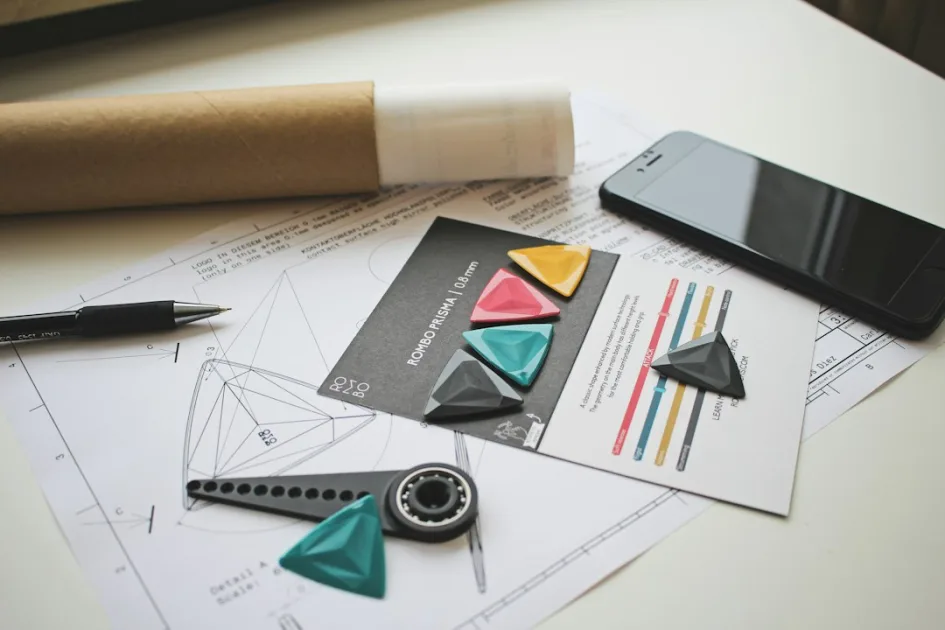
With the architecture signed off, interface design begins. In a custom WordPress project, design isn’t simply about “looking good” — it’s about translating wireframes into interfaces that solve real usability problems.
What sets custom design apart from a template
A premium theme can look polished, but it’s designed to satisfy the largest possible number of generic users. Custom design starts from concrete data: the actual behavior of your visitors, the business’s conversion metrics, the brand’s visual identity, and the technical constraints of the project.
This phase produces high-fidelity mockups — typically in tools like Figma — that include typography, color palette, reusable components, and interactive states (hover, active, error, loading). A solid design process for a custom WordPress project includes at least two rounds of client review before moving into development.
Typical duration: one to three weeks, depending on the number of unique templates and the complexity of the design system.
Phase 4: Theme development and functionality
This is where the project comes to life technically. In a custom WordPress project, the theme is built from scratch or on a minimal starter base, avoiding the technical debt that commercial themes carry with dozens of unnecessary features.
What the technical approach looks like in practice
Development is typically structured in weekly or bi-weekly sprints, with partial deliveries that the client can review in a staging environment (a non-public copy of the site). Each sprint has a defined scope:
- Sprint 1: environment setup, custom post type structure, taxonomies, and custom fields.
- Sprint 2: layout of primary templates (home, interior pages, blog, archive pages).
- Sprint 3: development of specific functionality (advanced forms, dynamic filters, external API integrations).
- Sprint 4: WooCommerce, if applicable — product configuration, custom checkout, shipping rules.
A medium-sized custom WordPress project (15–25 unique templates, specific functionality, no store) typically requires four to eight weeks of development. If it includes WooCommerce with complex configurations, add two to four additional weeks.
Clean code vs. technical debt
The difference between professional custom development and an improvised one shows up in the code. A well-built theme uses WordPress standards (hooks, partial templates, the Customizer API where appropriate), is documented, and is maintainable by another developer without having to reverse-engineer the logic. According to the WordPress Coding Standards, following core conventions ensures long-term compatibility with future CMS updates.
Phase 5: Testing and quality assurance
Testing is not a luxury — it’s a mandatory phase in any serious custom web development project. And it goes well beyond “checking whether it works in my browser.”
Types of tests performed
- Cross-browser: verification in Chrome, Firefox, Safari, and Edge, on both desktop and mobile.
- Responsive: testing on real device resolutions (not just the browser’s responsive mode), including tablets and screens with varying pixel densities.
- Functional: validation of forms, purchase flows, user registration, search filters, pagination, and every dynamic interaction.
- Performance: measurement with tools such as Lighthouse and GTmetrix to verify load times, Core Web Vitals scores, and asset weight.
- Accessibility: basic review against WCAG 2.1, including color contrast, keyboard navigation, and semantic HTML structure.
This phase takes three to seven business days. Critical bugs are fixed before delivery; minor ones are documented and resolved within a post-launch warranty period.
Phase 6: Content migration and launch
Content migration is often the most underestimated phase in a custom WordPress project. If the previous site had published content, it must be transferred to the new system without losing SEO rankings or functionality.
What a real migration involves
Depending on volume, migration can be manual (for sites with fewer than 50 pages) or automated using WP-CLI scripts or import tools. In either case, the following are essential:
- Mapping old URLs to new ones so 301 redirects can be configured.
- Verifying that images and attachments transfer correctly.
- Confirming that SEO metadata (titles, descriptions, structured data) is preserved.
- Validating internal links within migrated content.
The launch itself — the DNS switchover and move to production — is scheduled during a low-traffic window. A professional launch protocol includes a post-deployment verification checklist covering everything from SSL certificates to proper indexing by search engines.
Phase 7: Post-launch support and documentation
A custom WordPress project doesn’t end when the site goes live. The post-launch support phase is where the first real usage data is collected and adjustments are made based on actual user behavior — not assumptions.
What to expect from the warranty period
A standard warranty period runs from 30 to 90 days. During this time, the developer fixes bugs that surface in production and handles minor adjustments. New features and redesigns are not included — those are negotiated as additional work.
Technical documentation is another key deliverable that many clients don’t think to ask for, yet it makes an enormous difference in the long run. It includes:
- A guide to using the custom admin panel.
- Technical documentation of the code (functions, custom hooks, file structure).
- Instructions for recurring maintenance tasks (updates, backups, monitoring).
Realistic timelines: how long does a custom WordPress project take?
One of the most frequently asked questions is how long it takes to complete a custom WordPress project. The honest answer: it depends on the scope, but here are reference figures based on real projects:
| Project type | Estimated duration |
|---|---|
| Corporate site (10–15 pages, no store) | 6–10 weeks |
| Corporate site + blog + integrations | 8–14 weeks |
| Standard WooCommerce store | 10–16 weeks |
| WooCommerce with complex business logic | 14–22 weeks |
These timelines include all the phases described above. A custom WordPress project that promises significantly faster results is probably cutting corners on discovery, testing, or documentation — and that always costs more in the end.
Signs of a professional process vs. an improvised one
To close with something practical, here are the key differences that help you distinguish a professional custom WordPress project process from one that will cause problems down the road:
Professional process
- Documented discovery phase completed before quoting.
- Staging environment accessible throughout the entire development.
- Sprints with reviewable deliverables and structured feedback.
- Formal testing with evidence (screenshots, performance reports).
- Technical and user documentation included in the final delivery.
- Warranty period defined in the contract.
Improvised process
- Quote sent after a single 15-minute conversation.
- Development done “behind closed doors” with no partial deliveries.
- No staging environment: work happens directly in production.
- Testing reduced to “I checked it myself and it works.”
- No documentation: only the developer knows how anything works.
- No warranty, or one with vague terms.
If you’re evaluating options for a custom WordPress project and want to understand how a professional process applies to your specific case, you can review my WordPress development services to see the approach I take on every project.
My perspective as a WordPress developer
In my experience, the biggest source of frustration in custom WordPress projects isn’t the code — it’s miscalibrated expectations. I’ve seen technically simple projects fail because no one took the time to define the scope, and ambitious ones ship flawlessly because the client understood from day one what would happen at every phase. When a project owner knows what to ask and what to demand at each stage, the quality of the outcome rises automatically. Not because the developer works harder, but because decisions are made with real information rather than assumptions. That initial clarity is, in my view, the single factor that most determines a project’s success.
Need help with your project? I work with businesses and agencies on WordPress, WooCommerce, AI and integrations. Get in touch and we can discuss it.