Discover the 7 WooCommerce success patterns that separate thriving stores from failing ones — from architecture decisions to checkout optimization.
Table of Contents
- Why studying WooCommerce success stories beats reading generic benchmarks
- Pattern 1: Technical architecture is designed before a single line of code is written
- Pattern 2: Plugin selection follows maintainability criteria, not immediate functionality
- Pattern 3: The checkout is radically simplified
- Pattern 4: External system integrations are planned as data flows, not “connections”
- Pattern 5: Performance is monitored in production, not just optimized in staging
- Pattern 6: Product content is treated as a strategic asset
- Pattern 7: Updates follow a protocol, not an impulse
- What all these WooCommerce success patterns have in common
- Frequently asked questions about WooCommerce success
Why studying WooCommerce success stories beats reading generic benchmarks
When an agency or business is evaluating whether WooCommerce is the right platform for their e-commerce project, the typical approach is to compare feature sets, browse plugin directories, or consult performance benchmarks. All of that is useful — but it has one glaring limitation: it doesn’t reflect what actually happens in production, with real users, real problems, and decisions made under real pressure.
Documented WooCommerce success stories offer something no benchmark can: context. They show which technical decisions worked, which ones were abandoned, what problems surfaced after launch, and how they were resolved. In this article, I’ll break down the common patterns that appear across successful WooCommerce projects, the technical and strategic criteria that separate them from failures, and the concrete lessons you can extract before making decisions about your own store.
The goal isn’t to admire other people’s results — it’s to understand the logic behind those results and apply it with clear criteria.
Pattern 1: Technical architecture is designed before a single line of code is written
In virtually every documented case of a WooCommerce store that scales without serious problems, there’s a common denominator: the technical architecture phase received a serious investment of time. We’re not talking about polished wireframes — we’re talking about decisions like:
- Defining the structure of custom post types (CPTs) versus relying solely on standard products.
- Planning the taxonomy of categories, tags, and attributes before importing the catalog.
- Establishing which data will live in the WordPress database and which will be delegated to external systems via API.
- Selecting web hosting based on measurable performance criteria, not price.
A recurring example in successful projects is the deliberate decision not to use a multipurpose theme with a bundled page builder. Stores that launch with lightweight themes — or with custom development built on starter themes like Underscores or native Gutenberg blocks — consistently report initial load times 40–60% lower than those starting from heavy framework themes like Elementor or Divi for the full frontend.
That doesn’t mean those tools are inherently bad. It means that when the goal is a store with 500+ products and sustained traffic, the technical debt of a multipurpose theme accumulates quickly — surfacing as unnecessary database queries, unused CSS, and render-blocking JavaScript.
What this means for your project
If you’re in the planning phase, allocate at least 15–20% of the total project budget to architecture. That includes documenting technical decisions, running proof-of-concept tests with real data (not 5 sample products), and validating that the chosen structure can support the growth you’re projecting over the next 12–18 months.
Pattern 2: Plugin selection follows maintainability criteria, not immediate functionality
Another pattern that shows up consistently across WooCommerce success cases is a disciplined, restrictive approach to plugins. The goal isn’t to install as few plugins as possible on principle — it’s to evaluate each one against criteria that go well beyond “does it do what I need right now?”
The criteria used by technical teams behind long-lasting WooCommerce projects typically include:
- Update frequency: Is the plugin updated at least every 3–4 months? A plugin that hasn’t been updated in 8 months in an ecosystem that changes weekly is a liability.
- Reliance on standard hooks: Does the plugin use WooCommerce’s native hooks, or does it rewrite core functions? The latter creates incompatibilities with every major update.
- Database query impact: Tools like Query Monitor let you measure how many additional queries each plugin adds. In successful projects, this is reviewed before activating any extension in production.
- Support and documentation: Not “premium” 24-hour ticket support, but genuine technical documentation that allows a developer to troubleshoot independently without relying on the vendor.
A concrete data point: according to WP Engine’s analysis of high-performance WooCommerce sites, stores maintaining fewer than 25 active plugins experience 35% fewer critical incidents per year than those running more than 40. The correlation isn’t directly causal — one well-written plugin is worth ten poorly built ones — but it reflects a fundamentally different mindset toward complexity.
The typical failure scenario
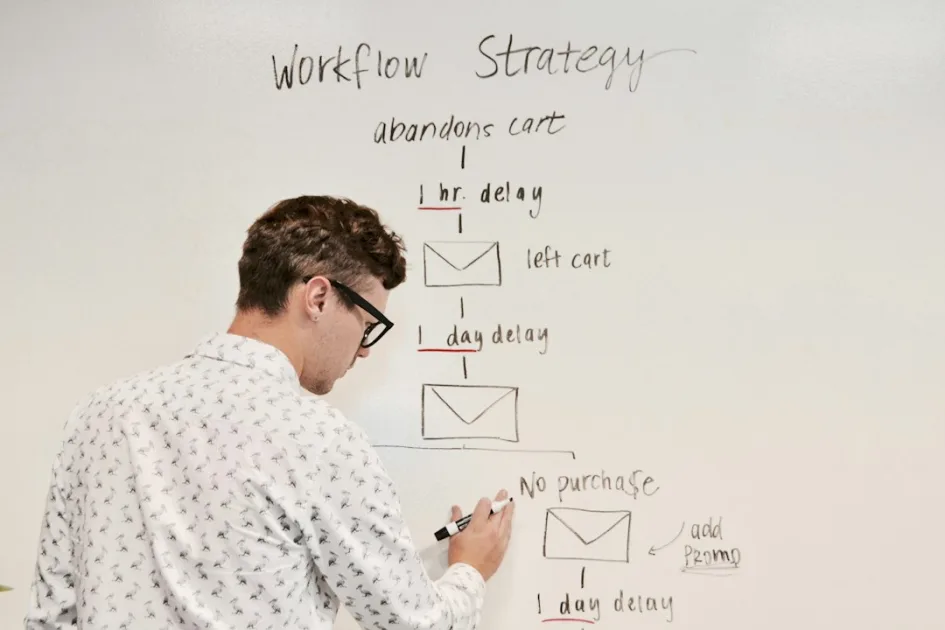
The opposite scenario is the store that installs a separate plugin for every micro-need: one for size charts, another for color swatches, another for “frequently bought together,” another for checkout customization. Each one adds its own CSS, its own JavaScript, its own database tables. Six months in, nobody knows which plugin handles which feature, updates get postponed out of fear of breaking something, and performance degrades without any clear culprit.
Pattern 3: The checkout is radically simplified
If there’s one point where successful WooCommerce projects align almost without exception, it’s an obsession with simplifying the checkout process. Data from the Baymard Institute puts the average cart abandonment rate at around 70%. Roughly 22% of those abandonments are attributed to a checkout process that’s too long or too complicated.
What do stores that meaningfully reduce that figure actually do?
- Single-page checkout: WooCommerce supports this natively since version 8.3 with the checkout block, but many projects still use the classic multi-step flow.
- Removing unnecessary fields: If you sell digital products, you don’t need a shipping address. If you only sell in one country, you don’t need a 200-option country selector. It sounds obvious, but WooCommerce’s default configuration includes fields many stores simply don’t need.
- Smart autocomplete: Integration with postal code APIs that automatically fill in city and region. The reduction in perceived effort has a direct impact on conversion.
- Guest checkout enabled by default: Forcing registration before purchase remains one of the most common — and most costly — checkout mistakes in terms of conversion rate.
In real projects I’ve reviewed — and some I’ve been directly involved in — simplifying the checkout has driven conversion increases of 8–18%. It’s not magic: it’s removing measurable friction.
Pattern 4: External system integrations are planned as data flows, not “connections”
Many WooCommerce stores need to connect with ERPs, CRMs, email marketing platforms, or logistics systems. The projects that handle this well don’t approach it as “install a plugin that connects A to B” — they design a complete data flow from the start.
That means answering key questions before writing a single line of code:
- What is the source of truth for each piece of data? Does the ERP manage stock, or does WooCommerce? Do prices come from an external PIM?
- What happens when a sync fails? Is there a retry queue? Does anyone get notified?
- How often does data sync? In real time (webhooks) or in batches (cron)?
- What data gets transformed in transit? An address format that works in the ERP might not match what the shipping carrier expects.
WooCommerce success cases involving complex integrations tend to share one characteristic: they include a middleware or intermediary layer — something as straightforward as a Node server with serverless functions, or a service like Zapier for non-critical flows — that acts as an orchestrator. This isolates WooCommerce from failures in the external system, and vice versa.
The cost of not planning it
In the opposite scenario, the store depends on a direct integration plugin that makes synchronous calls to the ERP on every order. When the ERP takes 3 seconds to respond — or doesn’t respond at all — the user sees an error on the order confirmation page. The order ends up in limbo. The support team gets flooded with tickets. And nobody knows whether the stock was updated or not.
This problem is surprisingly common and is rarely detected in staging environments, because staging doesn’t replicate the latency or load of a production system.
Pattern 5: Performance is monitored in production, not just optimized in staging
Optimizing a WooCommerce store to load fast in a test environment with 10 products and no real traffic is relatively straightforward. What’s difficult — and what separates successful projects — is sustaining that performance when you have 2,000 products, 500 variations, 15 active plugins, and 200 simultaneous users during a Black Friday campaign.
Teams behind WooCommerce stores that maintain consistent response times typically implement:
- APM (Application Performance Monitoring): Tools like New Relic, Datadog, or more accessible solutions like the built-in dashboards from Kinsta or Cloudways that surface server response times, slow queries, and PHP memory spikes in real time.
- Automated alerts: Notifications when server response time exceeds a defined threshold (for example, 800ms TTFB) or when PHP memory usage exceeds 80% of the allocated limit.
- Load tests before campaigns: Don’t wait until Black Friday to discover your server can’t handle the traffic. Tools like k6 or Loader.io let you simulate real load and identify bottlenecks before they affect sales.
A relevant data point: Google has documented that each additional 100ms in load time reduces conversion by approximately 1%. For a store generating €50,000 per month, that’s €500 per month for every tenth of a second over the target. The ROI of performance monitoring is direct and measurable.
Pattern 6: Product content is treated as a strategic asset
It’s easy to fall into the trap of thinking WooCommerce is purely a technology problem. But in projects that genuinely perform well, product page content receives the same level of attention as the technical infrastructure.
What distinguishes the product pages of a successful WooCommerce store?
- Professional photography with multiple angles: Not a rescaled manufacturer image. Original photos, shown in context of use, with functional zoom.
- Descriptions that answer real questions: Not generic catalog copy from the supplier. Content that addresses the questions a customer would ask in a physical store: “Will this fit in a 60cm cabinet?”, “Is it machine washable?”, “Is it compatible with X?”
- Structured data (Schema markup): Correct implementation of
Product,Offer,AggregateRating, andReviewso Google can display rich snippets with price, availability, and ratings directly in search results. - Product video: Increasingly common in stores with higher average order values. A 30–60 second video showing the product in use can increase conversion on that page by 20–40%, according to data from Wyzowl.
The difference between “having products” and “selling products”
I’ve seen stores with catalogs of 3,000 SKUs where the 200 best-optimized product pages generate 70% of organic sales. That’s not a coincidence. Google indexes and ranks product pages that offer genuine differentiated value — over the dozens of competing stores copying the exact same manufacturer description.
Pattern 7: Updates follow a protocol, not an impulse
Updating WordPress, WooCommerce, and plugins is non-negotiable if you want long-term security and compatibility. But doing it without a protocol is the single most common cause of production outages in online stores.
WooCommerce success cases that maintain consistent uptime typically follow a process like this:
- Staging environment: Every update is tested first on a clone of the production site — not an empty staging environment, but one with real (anonymized, if necessary) data.
- Regression checklist: After updating, manually verify (or run automated tests to confirm) that checkout works, payment gateways process correctly, catalog filters respond, and transactional emails are delivered.
- Defined update window: Updates are never applied on a Friday at 6 p.m. They’re scheduled during low-traffic hours, with someone available to roll back if something breaks.
- Verified backup before every update: Not just “a backup exists,” but “I can restore this backup in under 30 minutes and I’ve tested it.”
This protocol looks obvious written in an article. In practice, most WooCommerce stores that experience serious outages do so because updates were applied without staging, without a verified backup, or without a regression checklist.
What all these WooCommerce success patterns have in common
If you look across all seven patterns above, there’s a common thread: stores that achieve WooCommerce success aren’t the ones using the most expensive technology or the most popular plugins. They’re the ones making deliberate decisions, documenting them, and revisiting them regularly.
This isn’t primarily a budget question (though budget helps). It’s a process question. Stores that fail tend to share reactive decision-making: choosing a theme because “it looks nice,” installing plugins because “someone recommended it in a forum,” skipping update testing because “nothing has ever gone wrong.”
WooCommerce success stories are, at their core, stories of informed technical decision-making.
Frequently asked questions about WooCommerce success
Can WooCommerce handle stores with more than 10,000 products?
Yes, but it requires proper technical configuration: dedicated hosting resources, HPOS (High-Performance Order Storage), optimized queries, and in many cases, offloading the search layer to tools like Elasticsearch or Algolia. Without these measures, performance degrades significantly beyond 3,000–5,000 products with multiple variations.
How long does it take to build a professional WooCommerce store?
Successful projects typically have timelines of 8–16 weeks for medium-complexity stores (500–2,000 products, 2–3 external integrations). Projects launched in 2–3 weeks tend to accumulate technical debt that gets repaid — with interest — in the first 6 months of operation.
Is WooCommerce better than Shopify for a custom store?
It depends on the level of customization required. WooCommerce gives you complete control over the code, database, and infrastructure. Shopify simplifies operations but limits customization to what its template system and API allow. If you need complex business logic, deep integrations with internal systems, or a fully custom design, WooCommerce is usually the better choice. For more standard stores with straightforward operational needs, Shopify can be more efficient.
What’s the minimum budget for a serious WooCommerce project?
Quoting exact figures without knowing the project scope is irresponsible, but as a general reference: a professional WooCommerce project with custom development, integrations, and quality content rarely comes in under €8,000–12,000. Complex projects involving ERP integration, multi-language support, and advanced business logic can range from €20,000 to €50,000 or more.
If you’re evaluating the technical feasibility of a WooCommerce project and need an external perspective, you can review the WordPress and WooCommerce development services I offer to understand how I approach this type of project.
My take as a WordPress developer
Every time I analyze a WooCommerce project that has performed well over the long term, I find the same pattern: there was no magic moment, no miracle plugin — just a sequence of well-reasoned technical decisions executed with discipline. What strikes me most is that the majority of those decisions are “boring” ones — choosing the right hosting, simplifying checkout, documenting data flows — yet their cumulative impact is enormous. Personally, I believe real WooCommerce success isn’t measured on launch day, but at the 12-month mark, when the store is still running without emergency patches or unexpected outages.
Need help with your project? I work with businesses and agencies on WordPress, WooCommerce, AI and integrations. Get in touch and we can discuss it.