Learn the essential web project structure: phases, deliverables, roles, and the most common mistakes at each stage of professional web development.
Table of Contents
- Why Defining Structure Before Writing a Single Line of Code Matters
- The 7 Essential Phases of a Professional Web Project Structure
- Common Roles in a Web Project Structure
- The Most Frequent Mistakes at Each Project Phase
- Adapting the Structure to Your Project Type
- Documentation: The Invisible Backbone of Every Project
- What to Expect from a Developer Who Brings Real Expertise
Getting your web project structure right before a single line of code is written is what separates an on-time delivery from a project that drags on for three months while everyone wonders why. This isn’t about theoretical methodology — it’s about how real work gets distributed, who makes which decisions, when, and by what criteria.
This article breaks down the standard phases of a professional web project, the concrete deliverables each phase produces, the roles involved, and the most common failure points that turn an initial estimate into a revision nightmare.
Why Defining Structure Before Writing a Single Line of Code Matters
Most web projects don’t fail because of technical problems. They fail because the scope wasn’t clear from the start, because nobody documented design decisions, or because the client approved wireframes without understanding those aren’t the final design.
According to data on project management applied to software development, more than 60% of technology projects exceed their budget or estimated timeline. In web development, the root cause is almost always the same: no agreed-upon structure in place before work begins.
Defining phases, deliverables, and responsibilities from day one doesn’t bureaucratize a project — it protects it. Both the client and the developer or agency benefit equally.
The 7 Essential Phases of a Professional Web Project Structure
A web project structure varies depending on complexity, client type, and the team involved. But there’s a common skeleton that applies to the vast majority of projects — from a corporate website to a WooCommerce store with complex integrations.
1. Discovery and Scope Definition
Before designing or developing anything, you need to understand the problem the project is meant to solve. This phase includes briefing sessions, an audit of the existing site if there is one, competitive analysis, and the definition of measurable objectives.
The key deliverable here is the scope document: what the project includes, what it excludes, what the success criteria are, and what counts as a revision versus a scope change. Without this document, every subsequent conversation about timelines or costs will be a negotiation in a vacuum.
Questions that must be answered by the end of this phase:
- How many pages or sections does the site have?
- What functionality is required: forms, member areas, a store, CRM integration?
- Who creates the content, and in what format does it arrive?
- What are the non-negotiable deadlines (product launch, event date)?
2. Information Architecture and Wireframes
With the scope defined, the next step is organizing information before giving it any visual style. Information architecture defines how the site’s content is structured: page hierarchy, navigation flows, and taxonomies if there’s a blog or product catalog.
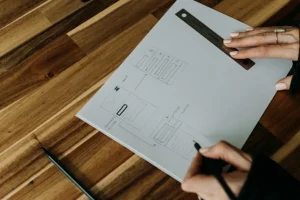
Wireframes translate that architecture into low-fidelity visual diagrams. No colors, no typography — just where each element sits on screen and how users move between sections. This is the perfect moment to catch the fact that the client’s “simple menu” actually needs three levels of navigation.
One of the most common mistakes at this stage: skipping it entirely. The client wants to see “something pretty” as soon as possible, and the team gives in. The result is a design that goes through five rounds of revisions because nobody had agreed on the homepage structure before designing it.
3. Visual Design and Prototype
Once the architecture is approved, design builds on a solid foundation. In serious projects, the process typically starts with the design system: color palette, typography, base components (buttons, forms, cards). Then the main page templates are designed.
An interactive prototype — usually in Figma — lets you simulate the real experience without writing any code. This is especially valuable for projects with complex flows: a WooCommerce checkout process, user onboarding, a product comparison tool.
The deliverable from this phase is the client-approved design files with developer annotations. “Approved” means a written sign-off or email confirmation — not a “yeah, looks great” said in a meeting.

4. Front-End and Back-End Development
This is where the majority of time and budget is concentrated. The development phase implements everything the design defined, and its quality depends heavily on how well the previous phases were documented.
In WordPress projects, development typically includes:
- Template layout based on approved designs
- Development or configuration of specific functionality (custom plugins, hooks, API integrations)
- CMS configuration: content types, custom fields, user permissions
- Performance optimization: asset loading, caching, images
A solid development structure separates environments: local for day-to-day work, staging for client reviews, and production only for the final launch. Working directly in production is one of the most expensive mistakes you can make.
5. Quality Assurance and Testing
Testing isn’t “checking that it looks right.” It’s a systematic process covering functionality, compatibility, performance, and security. Every developed feature needs to be verified against the acceptance criteria defined in the scope document.
The minimum tests in a professional web project include:
- Testing across the browsers and devices used by the target audience
- Form verification: submissions, validations, notifications
- Load time checks using tools like PageSpeed Insights
- Basic accessibility review (contrast, alt tags, keyboard navigation)
- Critical flow testing: the full purchase process if there’s an e-commerce component
Testing is done by the development team, but also by the client — this is the time to review real content in a real context. What “fits perfectly” in a wireframe sometimes doesn’t fit at all when the actual text is twice as long as expected.
6. Launch and Production Setup
The launch isn’t just copying files to the server. It’s a planned process that includes:
- Full backup before any action is taken
- Production environment configuration: SSL, security headers, cache rules
- Content migration if moving from an existing site
- Analytics and tracking setup
- Post-launch check of the complete list of critical URLs
For projects with existing traffic, the launch should be scheduled during a low-traffic window with a defined rollback plan. If something breaks in production, you need to be able to revert to the previous state in under 30 minutes.
7. Post-Launch and Ongoing Maintenance
A web project doesn’t end at launch. The post-launch phase covers the first weeks after going live: error monitoring, adjustments based on real user behavior, and resolving issues that testing didn’t catch.
Over the medium term, every website needs a maintenance strategy: WordPress and plugin updates, regular backups, security reviews, and feature evolution as business needs change.
Common Roles in a Web Project Structure
A web project structure isn’t just phases and deliverables — it’s also who does what. On multi-person projects, coordination is just as important as technical execution.
The most common roles in a mid-sized web project:
- Project manager or account lead: coordinates the project, manages client expectations, and keeps deadlines on track.
- UX/UI designer: responsible for information architecture, wireframes, and visual design.
- Front-end developer: implements the designs in code.
- Back-end or specialist developer: builds server-side functionality, integrations, and complex business logic.
- Copywriter or content lead: produces or adapts the site’s actual text.
- QA or tester: on larger projects, a dedicated testing role.
On smaller projects, one person may cover several roles. What matters is that every responsibility is explicitly assigned — not just implicitly assumed.
The Most Frequent Mistakes at Each Project Phase
Understanding the web project structure phases is necessary but not sufficient. Real problems always appear at the same pressure points:
Mistakes in the Discovery Phase
Starting without documenting the scope is the most expensive mistake. “We talked about it in the meeting” is not documentation. Every agreement on features, timelines, and responsibilities must be in writing before execution begins.
Another common pitfall: not involving the end user. Designing a site without understanding how the person who’ll use it actually thinks always leads to a redesign.
Mistakes in the Design Phase
Designing only for desktop when more than 60% of traffic is mobile is still surprisingly common. Responsive design isn’t an add-on — it’s part of the design from the very first sketch.
It’s also a mistake to approve designs with placeholder content. “Lorem ipsum” tells you nothing about how the layout will behave with real text, real images, and edge cases (an 80-character title, a description in three languages).
Mistakes in the Development Phase
The most dangerous one: adding undocumented features mid-development without updating the scope and estimate. Every “quick change” requested halfway through a project becomes accumulated delay.
In WordPress projects, another frequent mistake is installing a plugin for every single feature without evaluating the long-term impact on performance, compatibility, and security. A plugin that solves one problem can create three more down the line.
Mistakes at Launch
Launching without a verified backup. Without redirects if URLs are changing. Without confirming that analytics is recording data correctly. Without notifying the content, support, or marketing team that depends on the site.
The launch needs its own checklist, reviewed by every party involved — not just the developer who built the site.
Adapting the Structure to Your Project Type
Not all web projects carry the same complexity, and the structure needs to adapt without losing its core principles.
A five-page corporate website can compress the discovery and wireframe phases into a single week of work if the client arrives with a well-defined brief. An e-commerce store with a large catalog, multiple payment gateways, and an ERP integration needs a two-to-three-week discovery phase just to document the business flows.
The variables that most affect structure and timelines are:
- Number of external integrations: every API or external system adds complexity and dependencies that need to be managed.
- Content volume: a site with 500 catalog pages needs a very different migration or import strategy than one with 10 pages.
- Number of stakeholders on the client side: the more people who need to approve each deliverable, the more review time you need to build into the plan.
- Degree of technical customization: a WordPress theme with standard plugins carries much lower risk than a custom theme with bespoke functionality.
Documentation: The Invisible Backbone of Every Project
Documentation isn’t the glamorous part of a web project, but it’s what keeps the whole thing standing long-term. A well-documented project can be picked up by another developer, audited by a security team, or expanded six months later without starting from scratch.
At a minimum, the following should exist at project close:
- Signed scope document
- Final designs with technical annotations
- Log of relevant technical decisions (why a specific plugin was chosen, why the CMS was structured a certain way)
- CMS usage guide for the client’s content team
- Credentials and access details in a shared password manager
- Maintenance protocol and incident contact procedure
On projects developed by distributed teams — such as those involving an agency that subcontracts specialized development — documentation is even more critical. It’s the only mechanism that guarantees continuity if any team member changes during or after the project.
What to Expect from a Developer Who Brings Real Expertise
The difference between a developer who executes instructions and one who brings genuine expertise shows up at every phase of the web project structure.
In the discovery phase, a good developer asks uncomfortable questions: “How many concurrent users are you expecting at launch?” “Does the CRM system you want to integrate have documented API endpoints?” In the development phase, they flag when a requested feature is going to create performance or maintenance problems — before implementing it.
Technical judgment isn’t about slowing a project down. It’s about preventing a problem that takes five minutes to avoid from costing five days to fix after launch.
If you’re evaluating how to structure the technical team for your next web project, the WordPress development services page outlines how the work is organized with agencies and companies that need specialized development.
Need help with your project? I work with businesses and agencies on WordPress, WooCommerce, AI and integrations. Get in touch and we can discuss it.