
Discover the most common WooCommerce store mistakes that cost you sales every day — from slow load times to a broken checkout experience.
Table of Contents
- Slow load speed: the first filter nobody sees
- Long or confusing checkout: the most avoidable drop-off
- Insufficient or misconfigured payment methods
- Incomplete or underdeveloped product pages
- Too many plugins or incompatible plugins
- Neglected mobile experience
- No visible trust signals
- FAQ: Common WooCommerce store mistakes
WooCommerce store mistakes are far more common than most shop owners realize — and many of them are silently draining sales every single day. WooCommerce is a solid platform, but its flexibility also means there are plenty of points where things can go wrong if not configured thoughtfully. This post covers the most frequent slip-ups, why they happen, and the real business impact they carry.
Slow Load Speed: The First Filter Nobody Sees
Page load time is one of the factors that most directly affects conversion rates in any online store. According to web optimization data, a single second of delay can cut conversions by up to 7%. In WooCommerce, the most common culprits behind sluggish performance are uncompressed images, too many active plugins loading unnecessary scripts, and hosting that isn’t properly sized for the catalog volume.
A catalog of 500 products with unoptimized high-resolution images can push category pages beyond 5 seconds of load time. Users don’t wait — they leave. And Google doesn’t reward those times either.
The fix involves implementing an effective caching layer, optimizing images before uploading them (or automating the process with a dedicated plugin), and auditing which scripts load on each page so you can eliminate the ones that aren’t needed.
Long or Confusing Checkout: The Most Avoidable WooCommerce Store Mistake
The checkout process is where most of the traffic that has already decided to buy ends up walking away. A checkout with too many steps, forms filled with unnecessary fields, or an experience that feels untrustworthy is one of the leading causes of abandonment. E-commerce cart abandonment rates average around 70%, and checkout is the critical breaking point.
WooCommerce’s default checkout works, but it isn’t optimized for conversion. Asking for a phone number when it isn’t needed, not offering a guest checkout option, or revealing shipping costs for the first time on this screen are mistakes that show up again and again.
Removing unnecessary fields, displaying shipping costs on the product page, and enabling guest purchasing are changes that don’t require a full redesign — but they have a direct impact on sales.
Insufficient or Misconfigured Payment Methods
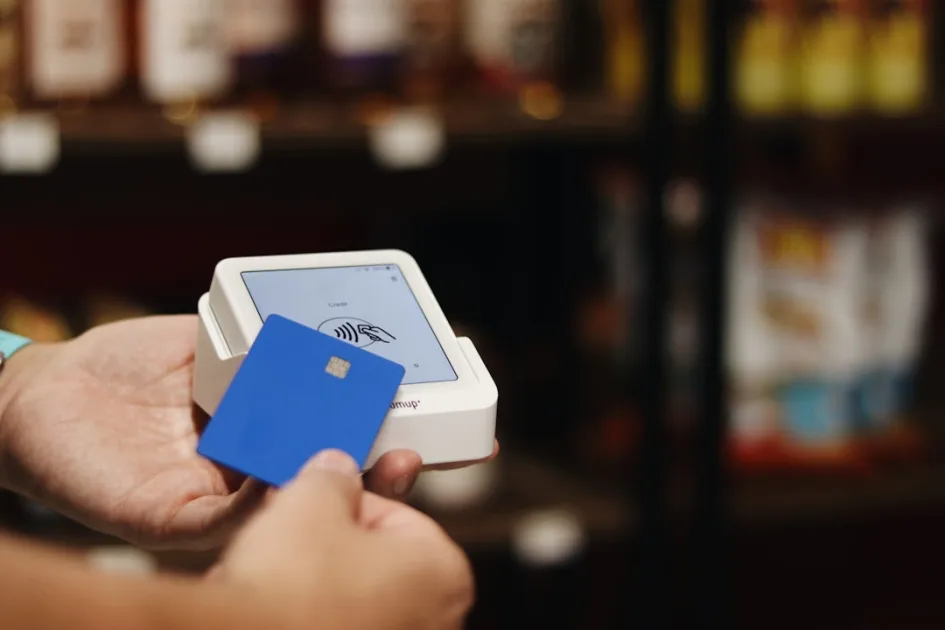
Offering only credit card in a market where a significant share of buyers prefer PayPal, local payment methods, or installment financing is artificially capping your sales. Every market has its preferences, and this is especially true in Spain.
Beyond variety, the most common technical issue is a misconfigured payment gateway: expired SSL certificates, production credentials mixed up with test credentials, or redirects that fail on certain mobile browsers. These failures mean the user reaches the payment step, tries to pay, and gets an unexplained error. The sale is lost — and the customer doesn’t come back.
Regularly verifying that all gateways work correctly across different devices and browsers should be part of any basic maintenance routine.
Incomplete or Underdeveloped Product Pages
A product page is, in essence, your store’s salesperson. If a customer can’t find the information they need to make a buying decision, they’ll go look for it somewhere else. The most common mistakes here include generic descriptions copied from the supplier, low-quality or insufficient images, missing information on sizes, materials, or compatibility, and no visible ratings or reviews.
WooCommerce allows you to build very complete product pages, but that takes time and editorial judgment. A catalog of 200 products with well-crafted pages converts better than one with 2,000 empty listings.
One aspect that often gets overlooked is product image optimization — not just compressing the file, but also making sure the alt texts accurately describe what’s shown. This affects both accessibility and image search rankings.
Too Many Plugins or Incompatible Plugins
WooCommerce is extensible by design, and that’s one of its strengths. But it’s also the source of one of the most frequent WooCommerce store mistakes: installing a plugin for every feature without evaluating the combined impact. A store running 40 or 50 active plugins has a high chance of experiencing conflicts, slowdowns, and bugs that are hard to track down.
Plugin conflicts are especially common after updates. A plugin that worked perfectly can break the checkout, disable the add-to-cart button, or trigger white screens after another plugin — or WooCommerce itself — gets updated. Without a staging environment to test updates before they go live, these problems hit production directly.
The practical rule is simple: every plugin must justify its presence with a specific feature that can’t be solved any other way. And before installing a new one, it’s worth checking when it was last updated and whether it’s compatible with the current version of WooCommerce.
Neglected Mobile Experience
More than 60% of traffic in most online stores comes from mobile devices. Yet many WooCommerce stores are designed and tested primarily on desktop. The result is a mobile experience full of friction: buttons that are too small, text that gets cut off, product galleries that don’t respond well to touch, or a checkout that requires zooming in to fill out the fields.
The visual theme plays a big role here, but it’s not the only factor. Functionality plugins also need to be responsive, and you should test the full purchase flow across different screen sizes regularly — not just at launch.
No Visible Trust Signals
A first-time visitor to an unfamiliar store needs reasons to trust it before entering their payment details. The most basic trust signals are an active SSL certificate, a clear and accessible returns policy, visible contact information, and reviews from other buyers. Their absence doesn’t generate active distrust — but it does generate passivity: the visitor simply doesn’t buy.
In WooCommerce, setting up these signals is relatively straightforward, but it requires attention. An expired SSL certificate, for example, causes Chrome to flag the store as “Not Secure,” which destroys trust immediately. Tracking the certificate renewal date should be on every maintenance checklist.
FAQ: Common WooCommerce Store Mistakes
What is the most critical mistake in a WooCommerce store?
It depends on the context, but a broken checkout has the highest direct impact on sales. If users can’t complete payment, there’s no revenue — regardless of everything else you’ve done right.
How many plugins is too many in WooCommerce?
There’s no magic number, but more than 30–35 active plugins starts to be risky territory. What matters isn’t the count — it’s whether each plugin is justified, up to date, and compatible with the others.
How often should I check that my store is working correctly?
At a minimum, after every WooCommerce, WordPress, or critical plugin update. Ideally, run a monthly review cycle covering the key features: add to cart, payment, transactional emails, and load speed.
Do technical errors affect Google rankings?
Yes. Load speed, 404 errors, duplicate content, and mobile experience are all factors that Google factors into its ranking algorithm. A store with accumulated technical problems will struggle to rank, even with great content.
If you’re wondering whether your store has any of these issues, my WordPress and WooCommerce development services page explains how I approach this kind of situation from the initial technical audit.
My Take as a WordPress Developer
What strikes me most when I audit other people’s WooCommerce stores is that the majority of the problems I find aren’t technically complex — they’re configuration errors or the result of skipping regular reviews, often sitting there for months without anyone noticing. A checkout that fails on iOS, an outdated plugin breaking the cart on mobile, an expired SSL certificate… These are things that can be fixed in a matter of hours, but while they’re there, they’re costing real sales every single day. That’s why I keep emphasizing that maintaining a store isn’t just about running updates — it means actively reviewing it on a regular basis.
Need help with your project? I work with businesses and agencies on WordPress, WooCommerce, AI and integrations. Get in touch and we can discuss it.

